



After a long day at your desk, you stand up, roll your shoulders, and instinctively rub the back of your neck. It’s become part of your routine. You might blame stress, poor sleep, or simply getting older. While those factors can contribute to discomfort but your office chair may be playing a much bigger role than you realize.
Millions of office workers who spend long hours at a computer each day suffer from office chair neck pain. The discomfort usually starts as mild stiffness, then gradually becomes an everyday nuisance that follows you from your desk to your evening routine.
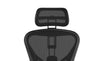
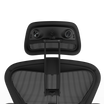
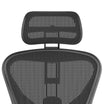
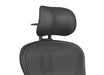
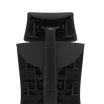
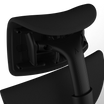
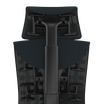
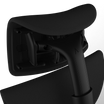
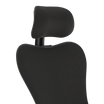
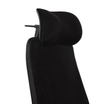
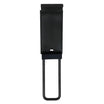
The good news? Solving the problem doesn’t always mean replacing an expensive office chair. In many cases, improving neck support can make a meaningful difference. Products like the Atlas Headrest were designed to solve this exact problem, but first, it’s important to understand why it happens.
The Real Reason Your Neck Hurts at Work
Your neck works harder than you probably think.
The average adult head weighs between 10 and 12 pounds. When your head is positioned directly above your shoulders, your cervical spine and surrounding muscles are designed to support that weight efficiently. Problems begin when your posture changes.
As the workday moves, many people gradually lean toward their monitor. This forward head posture pivots the head away from its natural alignment, which in turn forces the muscles in your neck and upper back to work continuously just to keep your head upright.
Even when you’re sitting still, the muscles supporting your cervical spine remain active throughout the day. Unlike your legs, which can relax while seated, your neck muscles are constantly making tiny adjustments to keep your head balanced while you read emails, join meetings, or focus on detailed work.
By the end of the day, those muscles have been working far longer than you realize.
This is one reason neck strain from sitting at desk jobs is so common. According to OSHA workstation guidance, maintaining a neutral posture and supporting the body’s natural alignment help reduce unnecessary strain during computer work.
Likewise, the Cleveland Clinic on neck pain notes that prolonged poor posture is a frequent contributor to neck discomfort and muscle tension.
Ironically, even premium ergonomic chairs such as the Steelcase Leap V2 and Herman Miller Embody often don’t include integrated headrests by default. While these chairs provide excellent lumbar and pelvic support, the cervical spine frequently remains unsupported during long work sessions.
If you’ve ever wondered why premium ergonomic chairs often skip built-in headrests, our guide on Do Ergonomic Chairs Need a Headrest? explores the design philosophy behind modern office seating and when adding a headrest makes sense.
Without proper ergonomic chair neck support, your neck muscles continue doing all the work themselves.
5 Signs Your Office Chair Is the Culprit

1. Your neck gets stiffer as the day goes on
If your neck feels fine in the morning but increasingly tight by 3 or 4 p.m., muscle fatigue is likely building throughout the day.
Without adequate support, your cervical muscles stay engaged for hours. They rarely get an opportunity to recover while you’re working.
2. The pain that improves on weekends or days away from the desk
This is one of the clearest office chair neck pain symptoms.
If your discomfort noticeably decreases after a day away from your desk, your work environment may be contributing more than everyday aging or general health.
The reduction in prolonged sitting gives your muscles time to relax and recover.
3. Your headaches start at the base of your skull
Many tension headaches originate in the muscles attached to the upper cervical spine.
When these muscles remain tight throughout the day, the discomfort can travel upward toward the back of the head, creating headaches that often appear late in the afternoon.
4. Your shoulders always feel tight
The neck and shoulders function as a team.
When the neck lacks support, surrounding muscles including the upper trapezius often compensate. That compensation creates persistent shoulder tightness that gradually spreads upward into the neck.
Many people describe it as carrying invisible weight across the tops of their shoulders.
5. You constantly want to lean against something
Do you find yourself resting against the couch, your car seat, or even your hand while sitting?
That’s often your body’s way of searching for external support.
If you’re constantly looking for somewhere to rest your head, your neck muscles may be asking for help.
What Most Office Chairs Get Wrong About Neck Support
A tall chair back doesn’t automatically provide proper neck support. In fact, one of the most common office chair without headrest problems is assuming that a high backrest will also support the neck.
While it supports your upper back, your cervical spine is often left unsupported during long work sessions.
Some chairs include headrests, but fixed designs don’t adjust to different body geometry. Since people vary in height, torso length, shoulder width, and posture, a one-size-fits-all headrest rarely provides the right fit.
That’s why ergonomic chair neck support should include adjustable height, angle, and depth.
Another issue is that many manufacturers treat headrests as an afterthought. Premium chairs often prioritize lumbar support and recline features while overlooking dedicated cervical support.
As a result, poor or absent headrest design forces your neck muscles to stay constantly engaged, leading to fatigue and stiffness over time.
This is the gap Atlas Headrest was built to fill. Rather than replacing an otherwise excellent chair, it adds adjustable cervical support to compatible ergonomic chairs, helping create a more complete ergonomic seating experience.
How the Right Headrest Actually Fixes the Problem
The best headrest for office chair users isn’t designed to hold your head up every second you’re sitting.
Instead, it provides ergonomic neck support when your neck muscles need it most, particularly during moments when you lean back, pause to think, or recline while reading or attending virtual meetings.
Biomechanically, a properly positioned headrest supports the natural curve of your cervical spine and helps transfer some of your head’s weight from the neck muscles that are constantly working to the chair itself.
Rather than keeping those muscles engaged all day, the headrest helps reduce their workload, supporting a more relaxed and comfortable posture over long work sessions.
An ergonomic headrest provides active support by staying securely positioned as you change posture, helping keep your head and neck properly supported. Adjustability is what makes the biggest difference. Height adjustment ensures the headrest aligns with users of different heights.
Angle adjustment supports both upright and reclined sitting positions, while depth adjustment prevents the head from being pushed too far forward or sitting too far back. Together, these features create a more personalized fit than a fixed headrest can provide.
This design philosophy is reflected in Atlas Headrest. Designed as an aftermarket solution, it allows users to add headrest to office chair setups they already own, including popular models like the Steelcase Leap V2 and Herman Miller Embody.
With adjustable height, angle, and depth, Atlas headrest is built to provide personalized cervical support that complements the ergonomic design of the chair rather than replacing it.
Want to learn more about how proper head support affects posture, fatigue, and long-term comfort? Read Why Head Support Matters More Than You Think for a deeper look at the science behind cervical support.
Atlas Headrest: Built for the Chairs You Already Own

Many office workers already own high-quality ergonomic chairs. The problem isn’t necessarily the chair itself.
Your chair isn’t broken. It’s simply missing proper neck support.
Atlas Headrest was developed as an aftermarket headrest for office chair users who want to improve comfort without replacing furniture they’ve already invested in.
Instead of requiring an entirely new seating system, Atlas headrest integrates with compatible chairs to provide adjustable cervical support that complements their existing ergonomic design.
Before purchasing, it’s worth checking the Installation & Compatibility Knowledge Base to confirm whether your chair is supported and explore model-specific guidance.
Compatibility includes popular models such as:
- Headrest attachment for Steelcase Leap
- Headrest attachment for Herman Miller Embody
Installation is designed to be straightforward, allowing users to add a headrest to an office chair without extensive modifications.
If you own a Leap V2, the Leap V2 Headrest Installation Guide walks through the installation process step by step, making setup quick and straightforward.
Beyond compatibility, Atlas headrest focuses on durability and long-term adjustability. Height, angle, and depth can all be customized, helping users find a support position that matches their individual posture rather than forcing everyone into the same sitting position.
For people experiencing desk setup neck pain, that flexibility can make daily work more comfortable while preserving the ergonomic benefits of the chair they already own.
Not sure which model is right for your chair? Use the Headrest Finder for Aeron & Embody Chairs to quickly identify the correct Atlas Headrest based on your chair model and configuration.
Other Things You Can Do to Reduce Neck Pain at Your Desk
Adding a headrest is only one part of creating an effective ergonomic workstation setup.
Small adjustments throughout your workspace can work together to reduce unnecessary strain.
- Position your monitor correctly. The top of your screen should sit roughly at eye level so you aren’t constantly looking down or lifting your chin. Keeping the monitor about an arm’s length away also helps reduce forward head posture.
- Keep your keyboard close. Your elbows should remain close to your sides with your forearms roughly parallel to the floor. Reaching forward repeatedly places additional stress on the shoulders and neck.
- Place your mouse within easy reach. Avoid stretching your arm outward throughout the day. A mouse positioned close to your keyboard encourages a more relaxed shoulder position.
- Maintain a balanced sitting posture. Sit with your back supported, feet flat on the floor, and shoulders relaxed. Try to keep your ears aligned over your shoulders instead of allowing your head to drift forward.
- Take movement breaks. No chair can eliminate the effects of remaining still for eight hours. Stand up every 30 to 60 minutes, walk briefly, or perform gentle neck and shoulder stretches.
Our guide to 7 Easy Stretches for the Sedentary Worker includes quick stretches you can do between meetings to reduce stiffness and stay comfortable throughout the day.
- Use reminders to move. Simple timers or smartwatch notifications can help interrupt prolonged sitting before muscle fatigue builds.
The APTA workplace ergonomics and OSHA both emphasize regular movement alongside proper workstation ergonomics as key strategies for reducing musculoskeletal discomfort.
Atlas Headrest fits into that broader picture. It’s one important component of a healthier workstation not a substitute for good posture, thoughtful workspace design, and regular movement.
Conclusion
Office chair neck pain is one of the most common complaints among people who spend long hours at a desk. A lot of that end-of-day stiffness comes down to one simple issue: your neck never really gets a chance to rest.
Even well-designed ergonomic chairs can leave the cervical spine unsupported, which means those muscles keep working long after the rest of your body has settled into the chair.
The encouraging news is that solving the problem doesn’t necessarily require replacing an expensive chair. Improving neck support with an adjustable headrest, combined with a well-designed workstation and healthy movement habits, can help reduce strain and improve everyday comfort.
If you’ve been experiencing recurring office chair neck pain, it may be time to look beyond your posture alone and consider whether your chair is fully supporting your body.