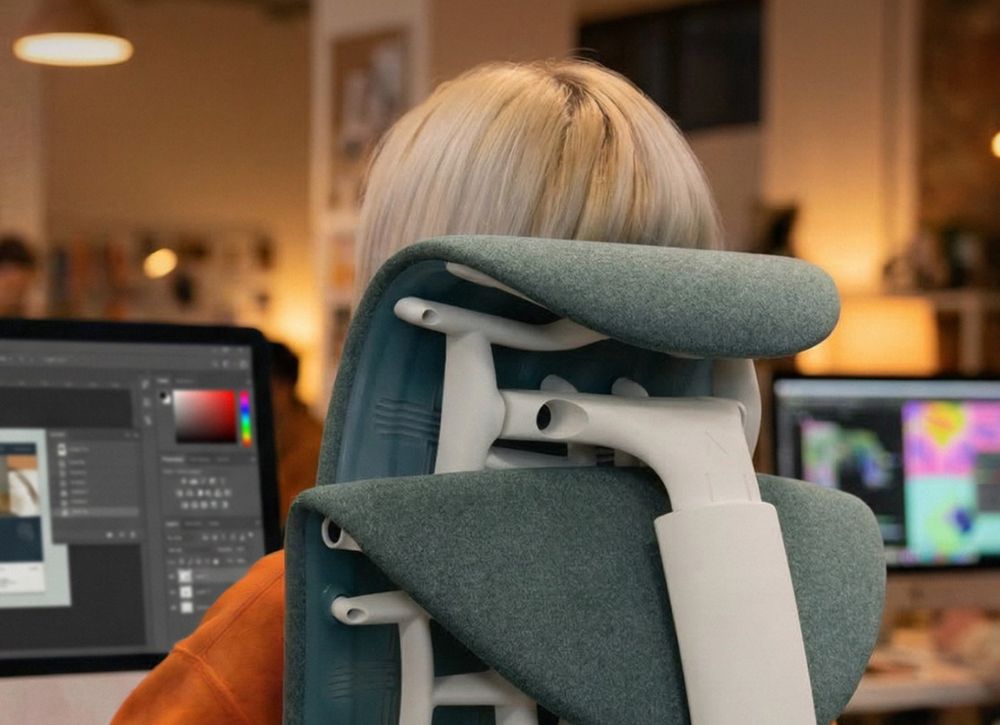


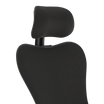
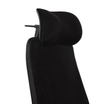


Yes, for the way most people actually work today, an ergonomic chair needs a headrest. The average adult head weighs between 11 and 14 lbs, and every degree you tilt forward to look at a screen multiplies the load on your cervical spine.
At a 45-degree forward tilt, the effective strain on your neck can reach nearly 49 lbs. Most "ergonomic" chairs address your lower back, your hips, and your arms, while quietly leaving your neck to fend for itself.
So the question is worth asking plainly: Do ergonomic chairs actually need a headrest, or is it just an upsell? Here's what the research, the design history, and a few uncomfortable industry truths say, including why even the most celebrated ergonomic chair ever made still hasn't solved this.
What a Headrest Actually Does (And Doesn't Do)
A headrest's job is narrow and specific: it gives your cervical spine a place to rest passively, rather than relying entirely on muscle engagement to hold your skull up. That's it.
It doesn't fix your monitor height. It doesn't fix slouching. It doesn't replace lumbar support. What it does is take over the work your neck muscles would otherwise be doing, unsupported, for hours at a stretch, particularly when you recline.
What a Properly Designed Headrest Does:
- Supports the cervical spine in a neutral position during recline, calls, or reading
- Reduces isometric strain on the neck extensor muscles
- Improves circulation by keeping the spine aligned rather than compressed forward
- Gives you a comfortable resting position during breaks without leaving the chair
What it Doesn't Do:
- Won't correct the forward head posture caused by a poorly placed monitor
- Isn't a substitute for proper seat height, armrest alignment, or lumbar support
- A badly positioned headrest can make posture worse, not better
That last point matters more than most buying guides admit, so it's worth its own section.
The "Active Sitting" Debate: Do You Need a Headrest?

There's a real counter-argument in ergonomics circles, and it deserves a fair hearing. Some ergonomists argue that for active, upright, forward focused computer work, a chair that lets your neck move freely is preferable to one that rests against a headrest. Under this view, a headrest is a tool for reclining, not a mandate for constant use.
That's a legitimate distinction, and it's why "do you need a headrest" doesn't have a single universal answer. The honest breakdown looks like this:
A Headrest Is Most Valuable If You:
- Spend several hours at your desk each day.
- Naturally shift between typing, reading, meetings, and focused thinking throughout the day.
- Frequently change positions instead of sitting rigidly in one posture.
- Notice neck fatigue after long work sessions.
- Want your chair to provide support whenever you choose to lean back and relax.
Some ergonomists argue that headrests are only useful while reclining. In practice, that's too narrow a view of how people work today.
The nuance that the "you don't need one" camp often skips is that very few people stay in one posture all day. Modern work is made up of long focus blocks, video calls, reading, brainstorming, and natural moments of recline between tasks. A properly adjusted headrest supports those posture changes without getting in the way of active work. For many people, a chair that only supports the upright typing posture solves for only half the workday—not all of it.
The Headrest Gap in Iconic Ergonomic Chairs
Even after decades of innovation and recent updates, one aspect of ergonomic support has remained largely unchanged in many flagship office chairs.
Herman Miller’s recent rebuild of the Aeron chair highlights this perfectly. The company focused on sustainability using recycled nylon, bio-based plastics, and a lighter aluminium base to cut the chair’s carbon footprint by another 12%. These are meaningful improvements. Yet the most common complaint from long-session users, the lack of dedicated neck and head support, was left untouched.
This gap isn’t new. It was recognized years ago by Herman Miller veterans Dennis Foley and Robert Beck, who together brought nearly 45 years of experience to the company. They witnessed the entire Aeron development alongside Bill Stumpf and Don Chadwick. In 2008, they launched a project initially called “Headline” to solve the one thing the best office chairs still lacked: upper-thoracic, neck, and head postural support.
That was true in 1994 when the Aeron launched. It was confirmed in 2008. And it remains true today, which makes the latest Aeron updates especially relevant.
During early development, key Herman Miller figures reviewed the work and offered strong endorsements. Don Chadwick, co-inventor of the Aeron, said the headrest had “reached a point of refinement” and “fits nicely with the chair.” Bill Dowell, Herman Miller’s ergonomics lead, noted that it “adds an important element to the complete ergonomic picture.” Gretchen Gscheidle, VP of Research, told the team, “You’ve defined the problem correctly, and solved it.”
That collaboration didn’t stop in 2012. Atlas continued working with Herman Miller on head and upper thoracic support concepts into the 2020s, including integration ideas for the Vantum gaming chair. The relationship between Atlas and Herman Miller’s design heritage runs deep. The fact that the Aeron was rebuilt from the inside out without addressing the headrest only reinforces the specific need Atlas was built to fill.
For users of iconic mid-back chairs like the Aeron or Embody, a purpose-built headrest completes the ergonomic picture without compromising the original design.
What Means If You Already Own an Aeron or Embody Chair

If you own an Aeron, Embody, or another high-end ergonomic chair, none of this means you bought the wrong chair; quite the opposite. It means you bought a chair engineered to a remarkably high standard for everything below the shoulders, with one structural omission that's been there since the category was invented.
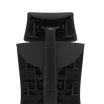
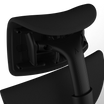
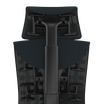
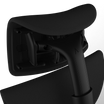
This is precisely the gap Atlas Headrest engineers around. The Headrest for Embody Chair – Sync Fabric, for example, is built to integrate directly with the Embody's frame and recline mechanism rather than sitting on top of it.
It also features adjustable height, angle, and depth, allowing the headrest to follow the natural curve of your neck rather than forcing your head into a fixed position.
Is Your Neck Pain Actually From a Missing Headrest?
Before you shop for a headrest, it's worth ruling out the more common cause of neck pain: a misconfigured workstation. A headrest compensates for a poor setup; it shouldn't be the first thing you reach for.
Quick Workstation Audit:
|
Check |
What to Look For |
|
Chair height |
Feet flat on the floor, knees at roughly 90 degrees |
|
Armrests |
Shoulders relaxed, elbows near 90 degrees, wrists straight |
|
Monitor height |
Top of the screen at or just below eye level — the single most common mistake is a monitor set too low, forcing the neck to crane downward |
|
Monitor distance |
Roughly an arm's length away, readable without leaning in |
|
Keyboard and mouse |
Same level, close enough to keep shoulders relaxed and wrists straight |
How to Decide If Your Ergonomic Chair Needs a Headrest

Ask yourself these questions:
- Do your sessions regularly exceed 90 minutes?
- Do you recline at all during breaks or downtime?
- Do you finish sessions with neck stiffness, shoulder tension, or tension headaches?
- Are you using a mid-back ergonomic chair like the Aeron or Embody?
If you answered yes to any of these, a quality headrest is likely a high-value addition.
Practical Setup Tips:
- Position your monitor so the top third is at eye level.
- Ensure strong lumbar support as the foundation for your entire spine.
- Set armrests at dropped-shoulder height to reduce upstream tension.
- Choose a headrest with three-axis adjustability for true customization.
Want to know more about headrests and neck support for professionals? Read Why Serious Gamers Need Proper Neck Support for Long Sessions and understand the nitty-gritty of ergonomics.
Frequently Asked Questions (FAQs)
Q. Can a headrest fix forward head posture?
A. No, and a poorly positioned one can make it worse. Forward head posture is corrected by fixing monitor height and strengthening the neck and upper back. A headrest supports recline; it doesn't correct an upright posture problem on its own.
Q. Is a fixed or adjustable headrest better?
A. Adjustable, almost always. A fixed headrest only works if it matches your exact height and neck curve, whereas height-, angle-, and depth-adjustable headrests can be tuned to your body and significantly reduce the risk of cervical flexion.
Q. Why doesn't the Herman Miller Aeron have a headrest?
A. The Aeron was designed around lumbar, seat, and arm ergonomics. The design hasn't changed even through the 2026 rebuild, which focused on materials and sustainability rather than head and neck support. The exact gap brands like Atlas Headrest were built to close.
Q. Will adding a headrest void my Herman Miller warranty?
A. Quality third-party solutions like the Atlas Headrest are designed not to void the warranty when properly installed on compatible models.
Q. How long until I notice the difference with a headrest?
A. Most users report reduced neck fatigue within the first week of adding a headrest to their ergonomic chairs. Consistent improvements in late-session comfort and focus usually appear within 10–14 days.
Conclusion
Ergonomic chairs provide outstanding support for the lower and mid-back, but many still leave the neck unsupported during the moments when it needs recovery most.
For serious gamers and professionals who spend hours in their chair, proper neck support can mean the difference between ending a session sharp and ending it stiff and fatigued.
Explore our Atlas Headrest for the Herman Miller Embody Gaming Chair or browse the Atlas Stories blog for more insights on building a setup that truly supports long-session performance. Your setup is already strong. Make sure it’s complete.