


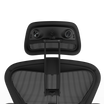
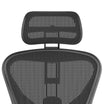
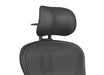
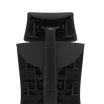

How Do You Recommend Using the Atlas Headrest?
To maximize comfort, ergonomic support, and longevity across all Atlas Headrest models (Aeron, Embody, Fern, and Leap V2), follow these recommended adjustment and usage steps:
1. Fit the Curve of Your Neck
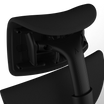
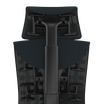
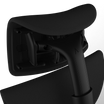
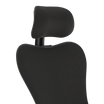
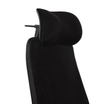
The profile of each Atlas Headrest is designed to fit naturally into the curve at the back of your neck.
- Adjust the vertical position of the headrest until it comfortably supports your neck without pushing your head forward or leaving a gap.
- A properly positioned headrest promotes better posture and relieves neck and shoulder tension.
2. Tighten the Vertical Adjustment Knob
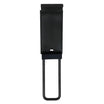
- Use the vertical adjustment knob to secure the headrest at your preferred height.
-
Tighten it enough so the headrest stays in place when you recline.

Important: Do not over-tighten. You should still be able to slide the headrest up or down slightly without needing to loosen and retighten the knob.
3. Tighten the Horizontal Knob
- Adjust the horizontal slide (depth) to position the headrest closer to or farther from your head.
- Tighten the horizontal knob enough to hold its place when reclining or moving.
- Again, avoid over-tightening — allowing for small, natural movements ensures you can reposition easily throughout the day without readjusting the knob.
4. Reposition Frequently
We recommend frequent adjustments throughout the day:
- Change your sitting posture.
- Reposition the headrest slightly for different activities (typing, reading, reclining).
Regular small adjustments help maintain optimal ergonomic support and prevent stiffness or pressure points from prolonged static positioning.
By following these guidelines, you can ensure that your Atlas Headrest enhances both your comfort and your chair's overall ergonomic performance.
For any additional questions or personalized adjustment advice, please Contact Us.
Our team is happy to assist!
Still can't find an answer?
Send us a ticket and we will get back to you.